28--SpringSecurity实现CAS单点登录--搭建CAS客户端
前言
在上一章节中,一一哥 带各位搭建了CAS Server端项目,也就是我们构建了一个统一的单点登录认证中心,接下来就可以搭建CAS客户端项目,然后实现客户端与服务端之间的交互认证,从而完成单点登录。
接下来各位就跟着 壹哥 搭建CAS客户端,最终把单点登录实现出来吧!
一. 搭建CAS客户端
1. 创建新项目
我们在之前的Spring Security项目中,创建一个新的module模块,作为CAS Client项目,如下图。
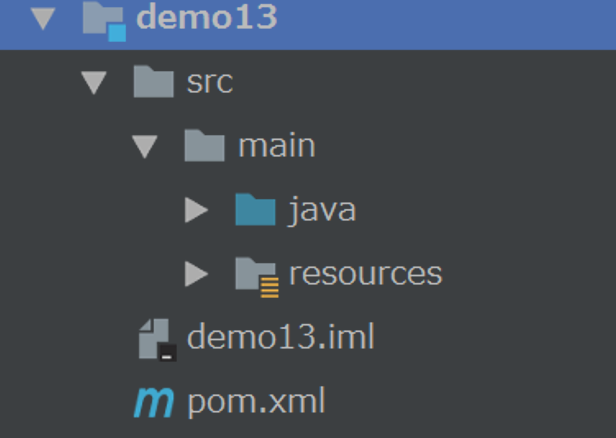
2. 引入依赖
然后在这个模块的pom.xml文件中,引入相关依赖。
    <dependencies>
        <dependency>
            <groupId>org.springframework.boot</groupId>
            <artifactId>spring-boot-starter-security</artifactId>
        </dependency>

        <dependency>
            <groupId>org.springframework.security</groupId>
            <artifactId>spring-security-web</artifactId>
        </dependency>

        <dependency>
            <groupId>org.springframework.security</groupId>
            <artifactId>spring-security-cas</artifactId>
        </dependency>

        <dependency>
            <groupId>org.springframework.boot</groupId>
            <artifactId>spring-boot-starter-web</artifactId>
        </dependency>

        <dependency>
            <groupId>org.springframework.security</groupId>
            <artifactId>spring-security-test</artifactId>
            <scope>test</scope>
        </dependency>
    </dependencies>

    <build>
        <plugins>
            <plugin>
                <groupId>org.springframework.boot</groupId>
                <artifactId>spring-boot-maven-plugin</artifactId>
            </plugin>
        </plugins>
    </build>